
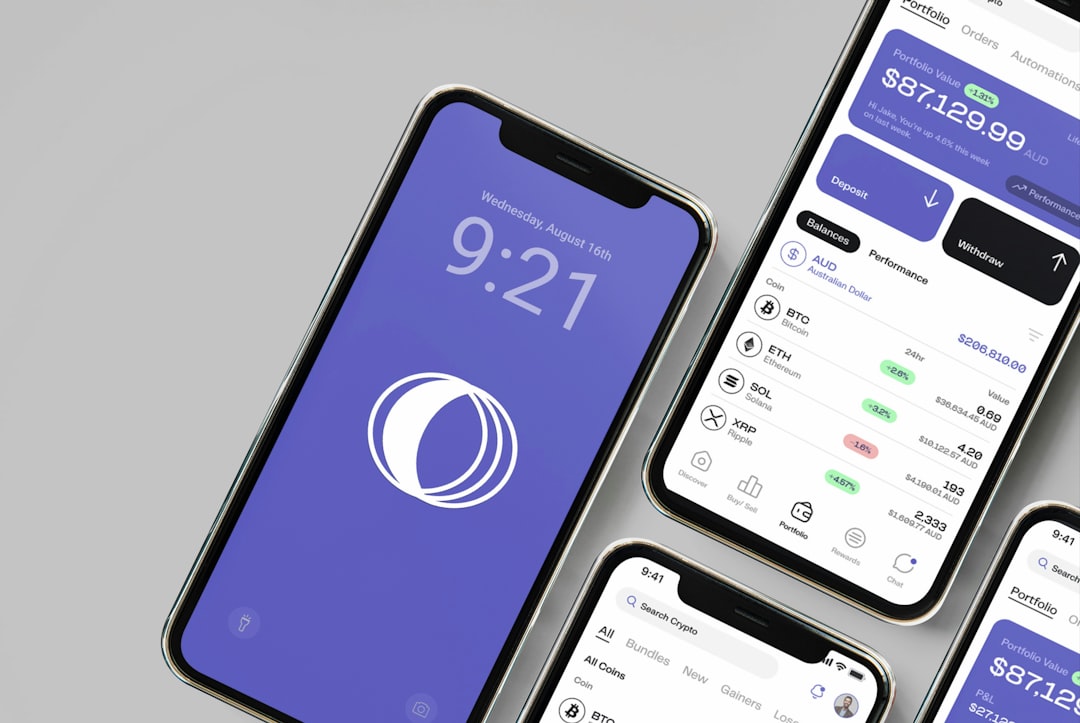
Wondering how to actually make allowance tracking work for your teen without turning into a constant nag or a spreadsheet wizard yourself? The good news is, there are apps designed to help. The key isn’t just having a tracker, but choosing one with the right features that actually get used and benefit both you and your teen. Think of it as a tool that can simplify chores, encourage saving, and even teach a bit about financial responsibility without feeling like homework.
Budgeting and Spending Features
This is the core of any good allowance tracker. It’s not just about knowing how much your teen has, but understanding how they spend it. This section is all about making those habits visible and actionable.
Real-Time Balance Updates
When your teen spends money, you want to know about it immediately. This prevents the tedious process of chasing them down for receipts or trying to remember every little purchase.
- Instant Notifications: The best apps will send a notification to both your phone and your teen’s phone as soon as a transaction is logged. This immediate feedback loop is crucial for accurate tracking and for teaching your teen to be mindful of their balance before they overspend.
- Automatic Deductions: Ideally, when a parent approves a chore completion or allowance payout, the app should automatically update the balance. Similarly, when a teen logs a purchase, it should be deducted in real-time, showing them their new, lower balance.
Category Tracking for Spending Insights
Just seeing a list of expenditures isn’t always the most helpful. Breaking down spending into categories is where the real learning happens.
- Pre-defined Categories: Most apps will come with standard categories like “Food,” “Entertainment,” “Clothes,” “Gaming,” and “Savings.” This makes it easy for teens to quickly categorize their spending.
- Customizable Categories: What if your teen is saving up for a specific hobby or a big purchase? The ability to create custom categories allows for more personalized tracking. For example, a teen saving for a new bike could have a “Bike Fund” category, and all contributions would go there. This visual representation can be highly motivating.
- Visualizations and Reports: Who wants to stare at a wall of numbers? Apps that offer pie charts, bar graphs, or simple spending summaries that show visually where money is going can be incredibly impactful for teens. Seeing that 40% of their allowance goes to snacks can be a real eye-opener.
Setting Spending Limits and Goals
This moves beyond just tracking to actively guiding your teen’s financial decisions. It’s about setting healthy boundaries and encouraging foresight.
- Category Spending Limits: You can set limits on how much your teen can spend in specific categories per week or month. If they hit their “Entertainment” limit, the app can notify them, preventing impulse buys that derail their budget.
- Savings Goals Tracking: This is a game-changer for motivation. Allow your teen to set specific savings goals (e.g., “New Video Game,” “Concert Ticket,” “First Car Fund”). They can then allocate portions of their allowance or earned money towards these goals, and the app visually shows their progress. Watching that progress bar fill up can be far more encouraging than just seeing a static savings account balance.
- Overspending Alerts: When a teen is approaching or has exceeded a set spending limit, the app should trigger an alert, either to them or to you (or both). This proactive approach helps prevent major budget blowouts.
An allowance tracker app can greatly enhance financial literacy for both parents and children by providing a clear overview of spending habits and savings goals. For more insights on how to effectively manage allowances and promote responsible spending, you can check out this related article on clarity and guidance in financial planning. Read more about it here: Clarity in Financial Planning.
Chore Management and Allowance Payouts
Allowance is often tied to responsibilities. A good app makes this connection clear and fair.
Creating and Assigning Chores
This is where you define what needs to be done and what the reward will be.
- Recurring Chores: Most household tasks aren’t one-off. The ability to set chores as daily, weekly, or monthly (like “Take out trash,” “Empty dishwasher,” “Clean bedroom”) is essential. This removes the need to constantly remind your teen.
- One-Time Chores: For bigger tasks or occasional help, being able to assign one-time chores is also important. This could be anything from “Help with yard work” to “Assist with car wash.”
- Clear Task Descriptions: The app should allow for detailed descriptions of what needs to be done for each chore. This avoids confusion and ensures the task is completed to your satisfaction.
Chore Approval and Payout Mechanisms
Once the work is done, how does the money get earned? This needs to be a smooth process.
- Teen-Initiated Completion: Your teen should be able to mark a chore as “complete” within the app.
- Parental Approval Workflow: This is a crucial step. You need to be able to review the completed chore and approve it. Some apps offer a simple “approve” or “reject” button. It’s helpful if you can add notes if a chore wasn’t done quite right, providing constructive feedback.
- Automated Payouts: Once approved, the app should automatically add the agreed-upon amount to your teen’s allowance balance. This instant gratification reinforces the link between work and reward.
- One-Time Payouts: Beyond regular chores, you might want to offer extra money for helping with something specific. The ability to issue one-time payouts as a reward for these tasks is valuable.
Tracking Chore Completion Rates
Seeing a history of completed chores can be a good indicator of your teen’s reliability and willingness to contribute.
- Completion History: The app should maintain a record of which chores were completed, when, and by whom (if you have multiple kids).
- Streak Tracking: Some apps gamify this by showing “chore streaks” – consecutive weeks or months a teen has completed all their assigned chores. This can be a fun way to encourage consistency.
- Performance Metrics (Optional): While not always necessary, some advanced apps might offer basic performance metrics, such as the percentage of chores completed on time.
Parental Controls and Transaction Oversight
Parents need a way to stay informed and ensure the app is being used as intended, but without hovering over their teen’s shoulder constantly.
Setting Allowance Amounts and Frequency
This is the foundational element of the allowance system defined within the app.
- Regular Allowance Amount: Define the standard amount your teen receives each week or month.
- Allowance Schedule: Set whether this is a weekly or bi-weekly payout, and on which day of the week. Consistency is key here.
- Variable Allowance (Advanced): Some apps might allow for a base allowance, with the option to add bonus amounts based on certain achievements or exceptional behavior. This offers flexibility.
Monitoring and Reviewing Transactions
You need to have visibility into your teen’s spending without needing to ask them for every detail.
- Transaction Log Access: You should be able to view a full history of all transactions – both income (allowance, gifts) and expenses.
- Spending Overviews: As mentioned before, clear visual reports breaking down spending by category are vital for educational purposes.
- Flagging Suspicious Activity: While rare, if you see a transaction that seems odd or that you didn’t expect, you should have the ability to flag it for discussion.
Setting Spending Limits for Specific Items or Merchants
This is a more granular level of control to help guide impulse spending.
- Merchant Restrictions: Some apps might allow you to block purchases from specific online stores or types of businesses if you feel they are a distraction or a drain on their allowance.
- Item-Specific Spending Caps: For particularly tempting purchases (like in-game currency or certain apps), you might be able to set a temporary or permanent spending cap.
User Permissions and Family Accounts
If you have multiple children, or if both parents want to be involved, the app needs to accommodate this.
- Multiple Child Profiles: The app should clearly distinguish between each child’s account, balances, and chore history.
- Shared Parental Access: Both parents should ideally have access to monitor and approve chores, view spending, and manage settings.
- Teen Control Levels: The app should offer clear delineation of what the teen can and cannot do within the app. They should be able to log spending and request approvals, but not necessarily change core settings or view parent-specific information.
Saving and Goal Setting: Cultivating a Future-Oriented Mindset
Allowance tracking isn’t just about the present; it’s a fantastic opportunity to instill long-term financial habits.
Dedicated Savings Buckets
This goes beyond just having a general savings amount. It’s about making saving tangible.
- Goal-Oriented Saving: As mentioned in the budgeting section, the ability to create specific “buckets” or goals (e.g., “New Phone Fund,” “College Fund,” “Vacation Money”) is crucial.
- Visual Progress Indicators: When each savings goal has a visual representation of progress (like a progress bar filling up), it’s incredibly motivating for teens. They can see exactly how close they are to achieving their objective.
- Automatic Allocation to Savings: Some apps allow you to set a percentage of allowance or earned money to automatically go into savings, even before the teen has a chance to spend it. This “pay yourself first” concept is a powerful habit to build.
Tracking Savings Growth Over Time
Seeing their savings increase can be a powerful motivator.
- Historical Savings Data: The app should maintain a history of savings deposits and withdrawals, allowing teens to see how their savings have grown.
- Interest Simulation (Optional): Some advanced apps might simulate interest earned on savings. While not real money, this can help teens understand the concept of compound growth and why saving early is beneficial.
- Milestone Achievements: The app could potentially offer virtual badges or celebrations when a teen reaches certain savings milestones within a goal.
Educational Content on Saving and Investing (Bonus Feature)
While not strictly a “tracking” feature, educational integrations can significantly enhance the value of the app.
- Simple Savings Tips: Short, digestible articles or tips on why saving is important, how to save effectively, and what to do with savings could be included.
- Introduction to Investing Concepts: For older teens, very basic introductions to concepts like stocks, bonds, or mutual funds could be offered. This is about planting seeds, not turning them into Wall Street whizzes overnight.
- Real-World Examples: Relating savings goals to real-world purchases they can make with those savings can be highly effective.
When considering the features of an allowance tracker app, it’s essential to understand how such tools can empower children to manage their finances effectively. A related article discusses the benefits of introducing a child finance tracker, highlighting how it can teach kids valuable money management skills while making the process enjoyable. For more insights on this topic, you can read the article here: empower your kids with the right financial tools.
Rewards and Gamification: Making the Process Engaging
Let’s be honest, chores and budgeting can feel like a drag. Adding elements of fun can make a huge difference.
Points Systems for Chores and Good Behavior
This is a classic gamification technique that works well for younger teens.
- Earning Points: Assign points to chores instead of just dollar amounts. This can be more abstract and engaging for some.
- Bonus Points: Award bonus points for consistent effort, exceptional performance on a chore, or demonstrating good financial habits (like staying within budget).
- Redeeming Points: Offer a “rewards store” within the app where teens can redeem their earned points for things like extra screen time, a movie night with friends, or even a small monetary bonus.
Badges and Achievements for Financial Milestones
Recognizing progress visually can be a big motivator.
- Savings Milestones: Award badges for reaching specific savings targets (e.g., “First $100 Saved,” “Goal Achieved!”).
- Budgeting Achievements: Badges for consistently staying within their spending limits for a set period.
- Chore Completion Streaks: As mentioned earlier, badges for maintaining consistent chore completion.
Friendly Competitions (Siblings)
If you have multiple children, the app can be used to foster a healthy sense of competition.
- Leaderboards (Optional): Displaying anonymized leaderboards for chore completion or savings can motivate siblings to do their best. This needs to be handled carefully to avoid negative sibling dynamics, so it might be a feature to use with caution or disable.
- Shared Goals: Families can set shared savings goals (e.g., saving for a family vacation) and track collective progress.
Customizable Allowance Structures
While allowances are often fixed, some apps allow for a bit more creativity.
- Tiered Rewards: For some tasks, you might offer a base reward, with an option for a higher reward if the task is done exceptionally well.
- “Bonus Task” System: Allow teens to volunteer for extra tasks that aren’t part of their regular allowance, earning a specific amount for each.
Ease of Use and Customization: Fits Your Family’s Needs
Ultimately, the best allowance tracker is the one that actually gets used. This means it needs to be intuitive for both parents and teens, and flexible enough to adapt to your family’s unique circumstances.
Intuitive Interface for Teens
Teens are often tech-savvy, but a clunky or confusing app will quickly be abandoned.
- Simple Navigation: The app should be easy to navigate, with clear buttons and logical flow.
- Visually Appealing Design: A clean, modern design can make the app more engaging for teens. Avoid overly childish or overly corporate aesthetics.
- Quick Transaction Logging: The ability to quickly log a purchase or mark a chore as complete with minimal steps is crucial for on-the-go use.
Parental Customization Options
Not all families are the same. The app should allow you to tailor its features to your specific needs.
- Customizable Allowance Amounts and Schedules: As we’ve discussed, this is fundamental.
- Adjustable Chore Values: The ability to set different monetary values for different chores based on difficulty or time required.
- Notification Preferences: Being able to control which notifications you receive and how often is important to avoid notification fatigue.
- User Role Management: For families with multiple parents involved, being able to assign different levels of access or control.
Cross-Platform Compatibility
Whether you’re an Apple family or an Android family, everyone should be able to use the app.
- iOS and Android Support: The app should be available on both major mobile operating systems.
- Web Access (Optional but Helpful): For parents who prefer to manage things from a computer, web access can be a useful addition.
Data Security and Privacy
This is paramount. You’re entrusting sensitive financial information to an app.
- Secure Data Storage: The app developer should have robust security measures in place to protect your and your teen’s data.
- Clear Privacy Policy: Understand how your data is being used and what information is being collected.
- No Third-Party Data Sharing (Unless Opted-In): Ensure your financial data isn’t being sold or shared with other companies without your explicit consent.
The best allowance tracker app should make money lessons practical, not just automate payments. Prioritize accurate balance updates, clear chore approval, age-appropriate parental controls, spending insights, and savings goals that your teen can manage with increasing independence. Before choosing an app, confirm how it handles privacy, account access, notifications, and any real-money transfers. A tool that supports regular conversations about choices and trade-offs can help turn everyday allowance decisions into lasting financial habits.
